
How to Get More Google Reviews for Your Business (Without Being Pushy)
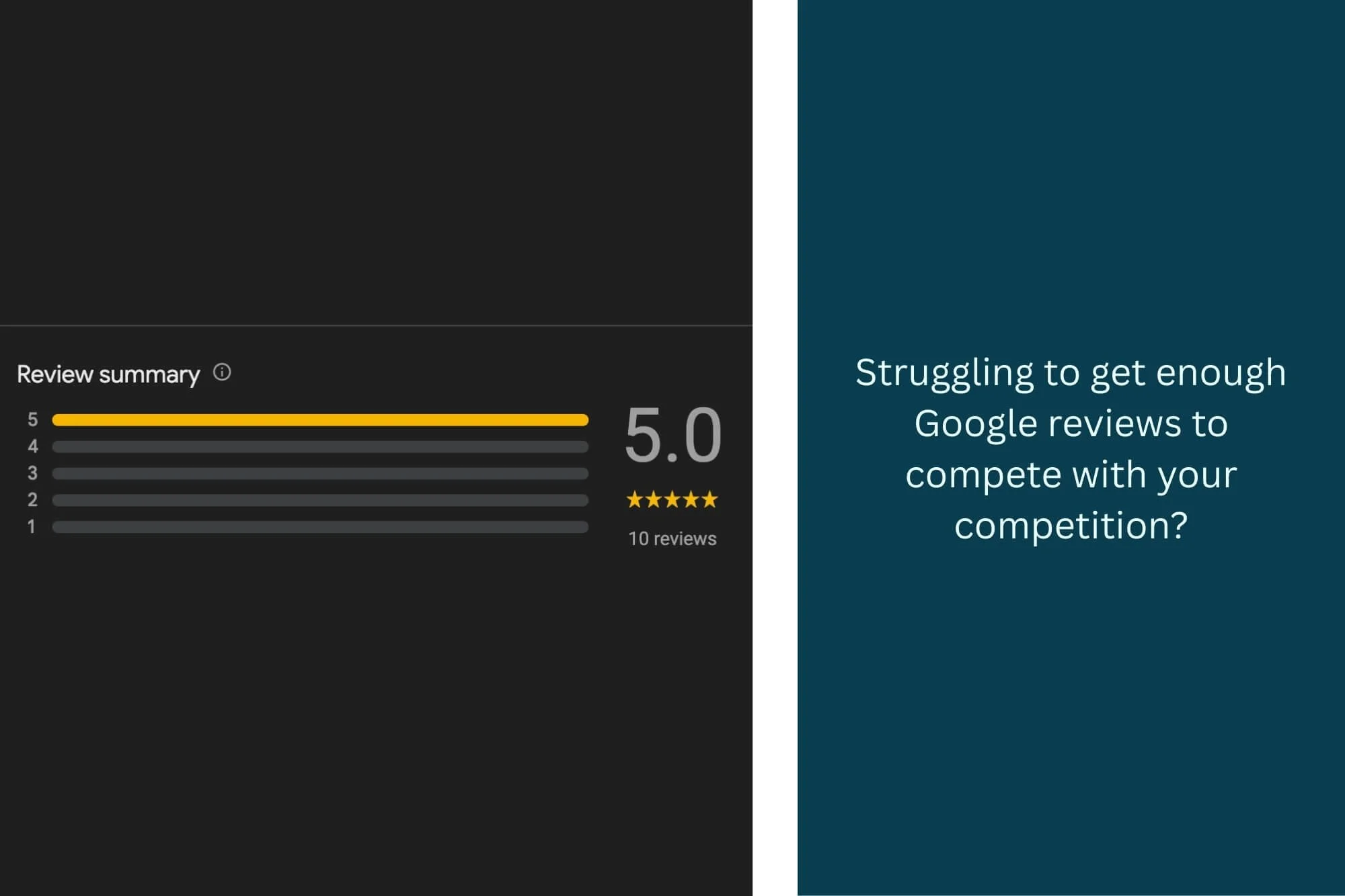
You know Google reviews matter. You see your competitors with 50, 75, even 100+ reviews while you're sitting at 4. Every time you search for your own business, you cringe at that low review count.
But asking for reviews feels awkward. You don't want to seem desperate or pushy. You're not sure when to ask, how to ask, or what to say. So weeks turn into months, and your review count stays stuck while your Worcester competitors keep climbing.
Here's the truth: Getting Google reviews doesn't have to feel uncomfortable. With the right approach, timing, and systems, you can consistently generate reviews that boost your rankings and bring in more Central Massachusetts customers (without ever feeling like you're begging).
In this guide, I'll show you exactly how to build a review generation system that works for your Massachusetts business, from your first 10 reviews all the way to 100+.
This post is part of our local SEO series for Central Massachusetts businesses:
Why Google Reviews Matter for Central Mass Businesses
Before we dive into the "how," let's quickly cover why Google reviews are worth the effort.
Reviews Are a Top 3 Local Ranking Factor
Google has confirmed that reviews are one of the primary factors in local search rankings. When someone in Worcester searches "plumber near me," businesses with more (and better) reviews rank higher in the Map Pack.
The impact is significant:
Businesses with 40+ reviews see a dramatic increase in visibility
Recent reviews (last 3 months) matter more than old ones
Review velocity (how fast you're getting new reviews) signals business health
Reviews Influence Purchasing Decisions
88% of consumers trust online reviews as much as personal recommendations.
When a Framingham resident is choosing between you and a competitor, reviews often make the decision:
4.5+ star average with 50 reviews beats 5.0 stars with 5 reviews
Detailed, specific reviews build trust
Recent reviews show you're actively serving customers
Reviews Provide Social Proof
Your reviews tell potential customers:
You're legitimate and trustworthy
Others have had positive experiences
You're active and currently operating
You care about customer satisfaction (based on your responses)
Reviews Impact Conversion Rates
Even if someone finds you through other means (your website, referral, social media), they'll likely check your Google reviews before deciding. A strong review profile converts more visitors into customers.
For Central Massachusetts businesses: Reviews are especially powerful in local markets where word-of-mouth and community reputation matter. Worcester County residents trust their neighbors' opinions.
The Psychology of Review Requests: Why People Don't Leave Reviews
Understanding why customers don't naturally leave reviews helps you ask more effectively.
The Main Barriers:
1. It doesn't occur to them
Most satisfied customers finish the transaction, feel happy, and move on with their lives. Leaving a review simply doesn't cross their mind unless you prompt them.
2. It feels like effort
Even though leaving a review takes 2 minutes, people perceive it as more work than it actually is. They'll do it "later" (which means never).
3. They don't know how
Many people, especially older customers, don't know where to leave a Google review or how to access their Google account.
4. They don't see the value to them
Customers need to understand that their review helps other local people make informed decisions and supports a business they care about.
5. Timing is off
If you ask too early (before they've experienced the full value) or too late (weeks after service), the moment has passed.
What This Means for Your Approach:
✓ You need to ask (people won't do it unprompted)
✓ Make it as easy as possible (provide a direct link)
✓ Ask at the right moment (right after a positive interaction)
✓ Give them a reason (help others, support a local business)
✓ Be specific and genuine (not generic or automated-feeling)
Step-by-Step: Getting Your First 10 Reviews
If you're starting from zero or have just a handful of reviews, here's your game plan.
Step 1: Create Your Direct Review Link
Google provides a short link that takes people directly to the review page; no searching required.
How to get your review link:
Open Google Maps and search for your business
Click on your business to open the full listing
Scroll down and click "Share"
Click "Copy link" or use the shortened version
Alternative method: Go to your Google Business Profile dashboard and find the "Get more reviews" section
Your link will look something like: https://g.page/r/YOUR-UNIQUE-CODE/review
Pro tip: Shorten it further using a tool like Bitly (e.g., bit.ly/yourcompany-review) to make it even easier to share and track.
Step 2: Identify Your Best Candidates
Don't just blast everyone. Start with customers who've had the best experiences.
Who to ask first:
✓ Customers who gave unprompted positive feedback
"This was exactly what I needed!"
"I'm so glad I found you!"
"You saved the day!"
✓ Repeat customers
They trust you enough to come back
✓ Customers who referred others
They're already advocating for you
✓ Long-term clients
They've seen consistent quality
✓ Recent customers (within last 30 days)
The experience is fresh
Make a list of 10-15 people who fit these criteria.
Step 3: Choose Your Ask Method
Different customers respond to different approaches. Pick the method that fits your relationship and business type.
Method 1: In-Person Ask (Highest Success Rate)
When to use: Right after completing service, at checkout, when they express satisfaction
What to say:
"I'm so glad you're happy with [the work/service]! If you have a minute, would you mind leaving us a quick Google review? It really helps other folks in the Worcester area find us. I can text you the link right now if that's easiest."
Why it works: Face-to-face, in the moment, hard to say no
Method 2: Text Message (Best for Mobile Users)
When to use: Within 24 hours of service completion, for customers who gave you their mobile number
Template:
"Hi [Name], it's [Your Name] from [Business]. Thanks again for choosing us for [service]! If you were happy with the work, I'd really appreciate if you could leave us a quick Google review. It helps other Central Mass families find us. Here's the link: [direct review link]. Thanks so much!"
Why it works: Mobile-friendly, convenient, personal
Method 3: Email (Good for Detailed Requests)
When to use: For service businesses, consultations, professional services
Subject line: "How did we do?"
Email template:
Hi [Name],
Thank you for trusting [Business Name] with [specific service/project]. We hope you're thrilled with the results!
If you have a moment, we'd be incredibly grateful if you could share your experience in a Google review. Your feedback helps other Worcester-area [type of customers] make informed decisions, and it means the world to our small local business.
[Leave a Review Button/Link]
It takes just 2 minutes, and your honest feedback, whether it's about [specific aspect], [another aspect], or anything else, is valuable to us.
Thanks again for your business. If you ever need [service] again or know someone who does, we're always here to help!
Best, [Your Name] [Business Name] [Phone]
Why it works: More formal, includes context, can include formatting
Method 4: Printed Card (Good for Retail/Restaurants)
When to use: Include with purchases, receipts, or at point of sale
What to include:
Your business name and logo
"Love us? Leave us a review!"
QR code linking to your review page
Short URL (bit.ly/yourcompany-review)
"Scan or visit [URL] to share your experience"
Why it works: No pressure, convenient, leaves them with a reminder
Step 4: Ask Your First 10 People
Week 1: Reach out to 5 people using your chosen method(s)
Week 2: Reach out to 5 more people
Your goal: Get 5-7 reviews from these 10 requests (50-70% conversion rate is realistic when starting with your best customers)
Step 5: Respond to Every Review
As reviews come in, respond immediately. This shows engagement and encourages others to leave reviews.
Response to positive reviews:
"Thank you so much, [Name]! We're thrilled you were happy with [specific thing they mentioned]. It was a pleasure working with you, and we appreciate you taking the time to share your experience. If you ever need [service] again in the Worcester area, we're always here to help!"
Keep responses:
Genuine and personal (mention specifics from their review)
Brief (2-3 sentences)
Grateful (always thank them)
Professional (use proper grammar and punctuation)
Scaling to 50+ Reviews: Building a Sustainable System
Once you have your first 10 reviews, it's time to systematize the process so reviews keep coming consistently.
The Review Generation System
Goal: 2-5 new reviews per month, every month
This steady flow:
Keeps your review count climbing
Shows recent activity (Google favors recent reviews)
Provides ongoing social proof
Improves your rankings consistently
How to Build It Into Your Workflow
Step 1: Identify the "Perfect Moment"
This is the point in your customer journey when they're happiest and most likely to say yes.
Examples by business type:
Service businesses (plumbers, HVAC, contractors):
Right after completing the job
When the customer says "This looks great!"
During the final walkthrough
Professional services (lawyers, accountants, consultants):
After winning a case / completing a successful project
When receiving thanks or positive feedback
At project completion
Retailers:
At checkout after a positive interaction
When customer compliments a product
For regulars/repeat customers
Restaurants:
When customer compliments the meal
At the end of a great dining experience
Never interrupt the meal itself
Medical/dental practices:
After the appointment (before they leave)
When receptionist asks "How did everything go?"
Via follow-up text/email same day
Step 2: Create Your Standard Operating Procedure (SOP)
Document exactly how and when to ask for reviews so anyone on your team can do it consistently.
Example SOP for a Worcester contractor:
When to ask: At final walkthrough, after customer expresses satisfaction
What to say: "I'm so glad you're happy with how it turned out! If you have a minute, would you mind leaving us a quick Google review? It really helps other homeowners in the Worcester area find us. I can text you the link right now."
If they say yes: "Great! What's the best number to send it to?"
Send immediately: Text template from phone with pre-saved message
Follow-up: Check in 2 days. If no review, send gentle reminder text
Response: Owner responds to review within 24 hours
Step 3: Train Your Team
If you have employees, teach them how to ask for reviews naturally and comfortably.
Training checklist:
✓ Explain why reviews matter (for rankings and business growth)
✓ Teach the timing (when to ask)
✓ Provide exact scripts (what to say)
✓ Role-play the ask (practice makes comfortable)
✓ Show how to send the link (text, email, or card)
✓ Emphasize: only ask satisfied customers
✓ Make it a regular part of the process (not an afterthought)
Incentivize your team:
Track who generates the most reviews
Celebrate when you hit review milestones
Consider small bonuses for consistent review generation (NOT paying for the reviews themselves)
Automation That Works (Without Violating Google's Rules)
What you CAN automate:
✓ Sending review request emails after a transaction (as long as they're personalized)
✓ Reminders to yourself to ask for reviews
✓ Tracking who you've asked and when
✓ Follow-up reminders if someone agreed but hasn't left a review
What you CANNOT do:
✗ Pay for reviews (cash, discounts, gifts in exchange for reviews)
✗ Pre-written reviews (telling customers what to write)
✗ Fake reviews (friends/family who aren't real customers, review services)
✗ Review gating (only asking happy customers to leave Google reviews while directing unhappy customers elsewhere)
✗ Incentivizing reviews in any way
Tools to Help Scale Your Review Generation
Free tools:
Google Sheets tracking:
Customer name
Date of service
Date asked for review
Method (text/email/in-person)
Review received (Y/N)
Date of review
Follow-up needed
Gmail templates:
Save review request emails as templates
Personalize before sending
Phone text shortcuts:
Save your review request text as a shortcut
iOS: Settings → General → Keyboard → Text Replacement
Android: Settings → Languages & Input → Personal Dictionary
Paid tools (if you want more automation):
Podium - Text-based review requests and management
Birdeye - Multi-platform review generation and monitoring
Grade.us - Review funneling and management
Reputation.com - Enterprise-level reputation management
For most Central Mass small businesses, free tools + discipline = plenty to get to 50+ reviews
The Monthly Review Generation Checklist
Week 1:
✓ Identify 10 customers from past month to ask
✓ Send 5 review requests (mix of text/email)
✓ Respond to any new reviews received
Week 2:
✓ Send remaining 5 review requests
✓ Follow up with anyone who agreed but hasn't left review
✓ Respond to new reviews
Week 3:
✓ Ask in-person during customer interactions
✓ Continue responding to reviews
✓ Check review count and adjust strategy
Week 4:
✓ Final follow-ups for the month
✓ Review your numbers (requests sent vs reviews received)
✓ Plan next month's target list
Goal: Average 2-5 new reviews per month
At this pace:
Month 6: 15-30 reviews
Month 12: 30-60 reviews
Month 24: 60-120 reviews
How to Respond to Positive Reviews (Templates & Strategy)
Every positive review deserves a response. It shows you care, encourages others to leave reviews, and reinforces the relationship.
The Formula for Great Responses:
Thank them by name (if they used their real name)
Mention something specific from their review
Add a personal touch or additional context
Invite them back or offer continued support
Keep it concise (2-4 sentences)
Templates by Review Type:
General positive review:
Review: "Great service and friendly staff. Very professional!"
Response:
"Thank you so much, [Name]! We're thrilled to hear you had a positive experience with our team. Providing professional, friendly service to our Worcester customers is exactly what we aim for. If you ever need [service] again, we're always here to help!"
Detailed, specific review:
Review: "Called them with an emergency plumbing issue on a Sunday morning. They came out within 2 hours, diagnosed the problem quickly, and had it fixed before noon. Fair pricing and John was incredibly professional. Highly recommend!"
Response:
"Thank you for the kind words, [Name]! We know plumbing emergencies never happen at convenient times, so we're glad John could get there quickly on a Sunday morning. It's customers like you who make what we do rewarding. Don't hesitate to call if you need anything else—we're always here for Worcester-area homeowners!"
Review mentioning specific employee:
Review: "Sarah was amazing! She took the time to explain everything and made the whole process easy."
Response:
"Thank you, [Name]! We'll make sure Sarah sees your kind words—she'll be thrilled to know she made such a positive impact. That's exactly the level of service we strive for at [Business]. Thanks for trusting us with [service], and please reach out anytime we can help!"
Short review:
Review: "Best in town!"
Response:
"Wow, thank you [Name]! We really appreciate you taking the time to share your experience. It means the world to our Central Mass small business. Hope to serve you again soon!"
First-time customer:
Review: "Found them through Google and so glad I did. Excellent work and great communication throughout the project."
Response:
"Thank you so much, [Name]! We're honored you chose us for your project and thrilled we exceeded your expectations. Great communication is something we take seriously, especially with new customers. Looking forward to working with you again in the future!"
Long-term/repeat customer:
Review: "We've used them for years and they never disappoint. Always reliable and professional."
Response:
"Thank you [Name]! It's been our pleasure serving you over the years. Customers like you are the reason we love what we do. We truly appreciate your continued trust and loyalty!"
Response Best Practices:
✓ Respond within 24-48 hours (shows you're attentive)
✓ Be genuine (avoid copy-paste responses)
✓ Vary your responses (don't use the same template for every review)
✓ Keep it professional (proper grammar, no slang)
✓ Match their tone (if they're enthusiastic, be warm; if they're formal, be professional)
✓ Include location mentions naturally ("Worcester-area," "Central Mass," etc.)
✗ Don't be overly promotional (no "Check out our sale this week!")
✗ Don't ask for more business aggressively (subtle invitation is fine)
✗ Don't over-respond (keep it concise, not a novel)
How to Handle Negative Reviews (Without Panic)
Negative reviews happen to every business. How you respond matters more than the review itself.
The Golden Rule:
Never argue, never get defensive, always take it offline.
Step-by-Step: Responding to a Negative Review
Step 1: Take a breath
Don't respond immediately when you're emotional. Wait a few hours (but not more than 24 hours).
Step 2: Assess if it's legitimate
Legitimate complaint:
Real customer
Valid issue (even if you disagree with their perspective)
Specific details about their experience
Potentially fake/unfair:
No details
Never heard of this person
Competitor (sometimes happens)
Unreasonable demands
Step 3: Craft your public response
The formula:
Apologize for their experience (not necessarily admitting fault, but acknowledging their disappointment)
Briefly address the situation (if appropriate)
Offer to make it right
Take it offline (provide contact info)
Step 4: Reach out privately
Call or email them directly to resolve the issue. Many times, a genuine effort to fix things will result in them updating or removing the review.
Negative Review Response Templates:
Service didn't meet expectations:
Review: "Hired them to fix my AC and it broke again two weeks later. Not happy."
Response:
"Hi [Name], we're sorry to hear your AC is having issues again. That's definitely not the experience we want our Worcester customers to have. We'd like to make this right. Please call us at [phone] so we can send someone out to address this immediately at no charge. We stand behind our work and want to ensure you're taken care of."
Pricing complaint:
Review: "Way too expensive. Quoted $300, ended up being $500."
Response:
"Thank you for your feedback, [Name]. We apologize if there was confusion about the pricing. Our initial quote was for [specific scope], and the final cost reflected [additional work that was needed/discussed]. We always aim to be transparent about pricing. We'd like to discuss this with you directly; please call us at [phone] so we can review the details and find a resolution."
Rude staff complaint:
Review: "The person who helped me was rude and dismissive. Won't be back."
Response:
"[Name], we sincerely apologize for this experience. That behavior doesn't reflect our values or the level of service we expect our team to provide. We take this very seriously and would like to discuss what happened. Please reach out to us at [phone] or [email] so we can make this right. We appreciate you bringing this to our attention."
Unfair/unreasonable review:
Review: "Terrible! They wouldn't give me a refund even though I changed my mind about wanting the service."
Response:
"Hi [Name], we're sorry you were disappointed. As discussed, our cancellation policy [brief explanation of policy] applies to all customers. We understand this was frustrating for you. If you'd like to discuss this further, please feel free to contact us at [phone]. We're committed to fair and transparent business practices for all our Central Mass customers."
What NOT to Say in Review Responses:
✗ "This review is fake!" (Even if it is—flag it to Google instead)
✗ "You're wrong about what happened" (Defensive and unprofessional)
✗ "We have hundreds of happy customers" (Dismissive of their concern)
✗ "You're being unreasonable" (Never works, makes you look bad)
✗ Personal attacks or insults (Obvious, but worth stating)
✗ Detailed argument about who said what (Keep it brief and offline)
Dealing with Fake Reviews:
If you're certain a review is fake:
Flag it to Google through your Google Business Profile dashboard
Select "Review inappropriate"
Choose the reason (fake review, conflict of interest, etc.)
Wait for Google to review (can take days to weeks)
Don't respond publicly to obvious fake reviews—it gives them legitimacy. Flag and move on.
The Silver Lining:
A few negative reviews actually help you:
All 5-star reviews look suspicious
Negative reviews with professional responses show you care
They provide opportunities to demonstrate customer service
4.5-4.8 average with high volume outperforms perfect 5.0 with low volume
Aim for: 4.5+ star average with steady new reviews
Managing Your Online Reputation Beyond Google
While Google reviews are most important for local SEO, your reputation spans multiple platforms.
Other Review Platforms That Matter:
For Central Massachusetts businesses:
Yelp
Still influential, especially for restaurants and home services
Has its own algorithm and policies
Don't ask for Yelp reviews directly (violates their terms)
Do claim and optimize your Yelp page
Reviews/recommendations from local community
Integrated with social presence
Easy for customers who already use Facebook
Better Business Bureau
Credibility signal, especially for service businesses
Matters for older demographics
Free basic listing, paid accreditation
Industry-Specific Sites:
Houzz (contractors, designers, home services)
Avvo (lawyers)
Healthgrades / Zocdoc (medical practices)
OpenTable (restaurants)
Angi (home services)
The Multi-Platform Strategy:
Priority 1: Google reviews (80% of your effort)
Most impact on local SEO
Most visible to searchers
Easiest to direct people to
Priority 2: One industry-specific platform (15% of your effort)
Choose the one most relevant to your business
Claim and optimize your profile
Monitor and respond to reviews
Priority 3: Facebook (5% of your effort)
Enable reviews on your business page
Respond when they come in
Don't actively push for them (focus on Google)
Monitoring Your Reputation:
Free methods:
Google Alerts:
Set up alerts for your business name
Get notified when mentioned online
Manual checks:
Weekly: Check Google Business Profile
Monthly: Check Yelp, Facebook, industry sites
Paid tools (if you want automation):
Reputation.com - Comprehensive monitoring
Birdeye - Multi-platform tracking
Podium - Review management across platforms
For most small Central Mass businesses: Weekly manual checks + Google Alerts = sufficient
Legal and Ethical Guidelines: What You Can't Do
Google, the FTC, and common sense all have rules about review generation.
Absolutely Prohibited:
✗ Paying for reviews
No cash payments
No discounts in exchange for reviews ("Leave a review and get 10% off")
No free products/services for reviews
No gift cards, prizes, or incentives of any kind
✗ Fake reviews
No reviews from friends/family who aren't real customers
No review services that provide fake reviews
No employees writing reviews
No creating fake accounts to review yourself
✗ Review gating
Can't filter who you ask (only asking happy customers for Google reviews while directing unhappy ones elsewhere)
Must ask all customers equally
Can have an internal feedback system, but can't use it to gate Google reviews
✗ Telling customers what to write
Can't give them a script or pre-written review
Can't tell them specifically what to mention
Can't approve/edit their review before posting
✗ Negative review campaigns against competitors
Obviously unethical and illegal
What You CAN Do:
✓ Ask for reviews (from actual customers)
✓ Make it easy (provide direct links)
✓ Remind customers who agreed but forgot
✓ Respond to all reviews
✓ Encourage honest feedback (even if it might not be 5 stars)
✓ Provide great service that naturally generates positive reviews
The Consequences of Violating Guidelines:
From Google:
Review removal
Business profile suspension
Loss of rankings
Permanent ban from Google Business Profile
From FTC:
Fines
Legal action
Required disclosures
From your reputation:
Loss of trust if discovered
Negative press
Customer backlash
Bottom line: It's never worth it. Build reviews the right way.
Common Mistakes Central Mass Businesses Make
Mistake #1: Not Asking at All
The problem: You assume customers will leave reviews on their own. They won't.
The fix: Build asking into your process. Make it a habit, not an afterthought.
Mistake #2: Waiting Too Long to Ask
The problem: You ask for a review weeks or months after service. The moment has passed.
The fix: Ask within 24-48 hours, ideally right after service when emotions are highest.
Mistake #3: Making It Complicated
The problem: "Just search for us on Google and click on reviews and..."
The fix: Send a direct link that takes them straight to the review page. Remove all friction.
Mistake #4: Generic, Robot-Like Requests
The problem: "Dear Customer, please leave us a review at the following link..."
The fix: Personal, genuine requests: "Hi Sarah, thanks for trusting us with your kitchen remodel! If you're happy with how it turned out, I'd really appreciate a quick Google review..."
Mistake #5: Only Responding to Negative Reviews
The problem: You only engage when something goes wrong, ignoring positive reviews.
The fix: Respond to EVERY review, positive and negative. It shows you care and encourages more reviews.
Mistake #6: Identical Copy-Paste Responses
The problem: Every response is "Thank you for your review!" with no personalization.
The fix: Mention something specific from each review. Make responses genuine and varied.
Mistake #7: Getting Defensive About Negative Reviews
The problem: You argue with the reviewer, make excuses, or blame them.
The fix: Stay professional, acknowledge their disappointment, and offer to make it right offline.
Mistake #8: No System or Consistency
The problem: You ask for reviews sporadically when you remember, then go months without asking.
The fix: Create a system, document it, train your team, and stick to it every single month.
Mistake #9: Forgetting to Ask Your Best Customers
The problem: You ask random customers instead of starting with people who love you.
The fix: Identify your biggest fans, repeat customers, and people who've given unsolicited praise—ask them first.
Mistake #10: Giving Up After a Few "No's"
The problem: You ask 3 people, they all say "sure" but don't follow through, and you quit trying.
The fix: Understand that conversion rates are 30-50%. You need to ask 10 people to get 3-5 reviews. Follow up gently if they agreed but forgot.
Tools and Resources
Essential Tools:
Your Direct Review Link (Free)
Get from Google Business Profile or Maps
Shorten with Bitly for easy sharing
Google Sheets (Free)
Track who you've asked and when
Monitor conversion rates
Plan monthly targets
Text Shortcuts (Free, built into phone)
Save review request template
Send quickly after in-person asks
Canva (Free)
Create review request cards with QR codes
Design social posts promoting reviews
Optional Paid Tools:
Podium ($300-400/month)
Text-based review requests
Multi-location management
Review monitoring
Birdeye ($300-500/month)
Automated review requests
Multi-platform monitoring
Sentiment analysis
Grade.us ($50-150/month)
Review funneling
Email automation
Response management
For most Central Mass small businesses: Free tools + consistent manual effort = all you need to reach 50-100+ reviews
Response Templates Library:
Keep a document with:
Positive review response templates (10-15 variations)
Negative review response frameworks
Review request scripts (text, email, in-person)
Follow-up message templates
Customize before using, but having templates saves time and ensures consistency.
Your 90-Day Review Generation Action Plan
Month 1: Foundation
Week 1: Setup
✓ Get your direct review link
✓ Create shortened version (Bitly)
✓ Set up tracking spreadsheet
✓ Write your review request templates (text, email)
Week 2: First 10
✓ Identify your 10 best customers
✓ Ask 5 people using your chosen method
✓ Respond to any reviews that come in
Week 3: Continue
✓ Ask 5 more people
✓ Follow up with anyone who agreed but hasn't reviewed
✓ Refine your approach based on what's working
Week 4: Build the Habit
✓ Ask 3-5 new customers
✓ Create your standard operating procedure (SOP)
✓ If you have staff, begin training them
Month 1 Goal: 5-8 new reviews
Month 2: Systems
Week 1: Document Your Process
✓ Write out exactly when and how to ask
✓ Create templates for all scenarios
✓ Save review request text in phone shortcuts
Week 2-4: Consistent Execution
✓ Ask every satisfied customer
✓ Track requests and conversion rates
✓ Continue responding to all reviews
✓ Adjust timing and approach based on results
Month 2 Goal: 5-10 new reviews
Month 3: Optimization
Week 1: Analyze Your Data
✓ Which method works best? (Text vs email vs in-person)
✓ What's your conversion rate?
✓ Which timing gets best results?
Week 2-3: Scale What Works
✓ Double down on highest-converting approach
✓ Train any team members on the process
✓ Ensure consistency across all customer interactions
Week 4: Plan for Long-Term
✓ Set up monthly reminders to review your numbers
✓ Create monthly target (2-5 reviews minimum)
✓ Build it into permanent business operations
Month 3 Goal: 5-10 new reviews
After 90 Days: You should have 15-28 new reviews and a system that generates 2-5+ reviews every single month going forward.
Frequently Asked Questions
How many reviews do I need to rank well in Central Massachusetts?
There's no magic number, but aim for:
Minimum: 15-20 reviews to be competitive
Competitive: 40-60 reviews for most local searches
Dominant: 100+ reviews in your market
It also depends on your competitors. Check the top 3 businesses in Worcester Map Pack for your keywords and aim to match or exceed their review count.
Should I respond to every single review?
Yes. Responding shows engagement, encourages more reviews, and demonstrates customer service to potential customers reading your reviews.
How do I get my first review when I have zero reviews?
Start with your very best customer relationship; ideally someone who's already raved about you. Ask them personally and explain you're building your online presence. First reviews are hardest, but after 3-5, momentum builds.
What if someone leaves a review on Yelp instead of Google?
Thank them! It's still valuable. Don't ask them to also review on Google (that's tacky), but in the future, you can guide people more specifically: "Would you mind leaving us a Google review specifically? It helps with local search."
Can I delete negative reviews?
You cannot delete reviews yourself. You can flag inappropriate reviews to Google, but legitimate negative reviews will stay. Your job is to respond professionally and, if possible, resolve the issue offline.
Is it okay to ask family and friends for reviews?
Only if they are genuine customers who've used your services. Don't ask family to write fake reviews; that violates Google's guidelines and can get you suspended.
How long should I wait before asking for a review?
Best timing is within 24-48 hours of service completion, right when satisfaction is highest. For some businesses (restaurants, retail), ask same-day. For longer projects, ask right after completion.
What's a good review response time?
Aim for within 24-48 hours. Faster is better, but don't stress if it takes a day or two. Consistency matters more than instant responses.
Should I incentivize reviews with discounts or prizes?
No. This violates Google's policies and FTC guidelines. You can be suspended or fined. The only incentive should be that they're helping other customers and supporting a local business they care about.
The Bottom Line for Central Massachusetts Businesses
Google reviews aren't optional anymore; they're essential for local SEO success in Worcester, Framingham, and throughout Central Mass.
The businesses dominating local search aren't necessarily the oldest or the largest. They're the ones that have built consistent systems for generating reviews and managing their online reputation.
The good news: You don't need to feel pushy or salesy. With the right approach (asking at the right moment, making it easy, and being genuine) most satisfied customers are happy to leave a review.
Start today:
Get your direct review link
Ask your 3 best customers this week
Respond to every review that comes in
Build it into your monthly routine
In 6-12 months, you'll look back and see a dramatically different review profile, and significantly better local rankings.
About Studio 3 Elm
Studio 3 Elm provides web design and local SEO services for small businesses throughout Central Massachusetts. Based in Northbridge and serving Central Mass and surrounding areas, I specialize in helping local businesses build their online presence and attract more customers through search.
Contact me to discuss your review generation and local SEO strategy.