
Local SEO for Small Businesses in Central Massachusetts: The Complete Guide
You run a great business in Central Massachusetts. You serve your customers well, you're professional, and you deliver quality work. But when someone in Worcester searches for exactly what you offer, your competitors show up instead of you.
This isn't about the quality of your business. It's about local SEO.
Local SEO (search engine optimization) is how you make sure your local business appears when nearby customers search for your services. It's the difference between being visible to thousands of potential customers or being invisible to everyone except those who already know you exist.
The good news? Local SEO isn't rocket science, and you don't need a massive budget or technical expertise. You just need to understand what matters and commit to doing it consistently.
This complete guide will walk you through every aspect of local SEO for Central Massachusetts businesses; from the fundamentals to advanced strategies. Whether you're just starting or looking to improve your existing efforts, you'll find actionable steps you can implement today.
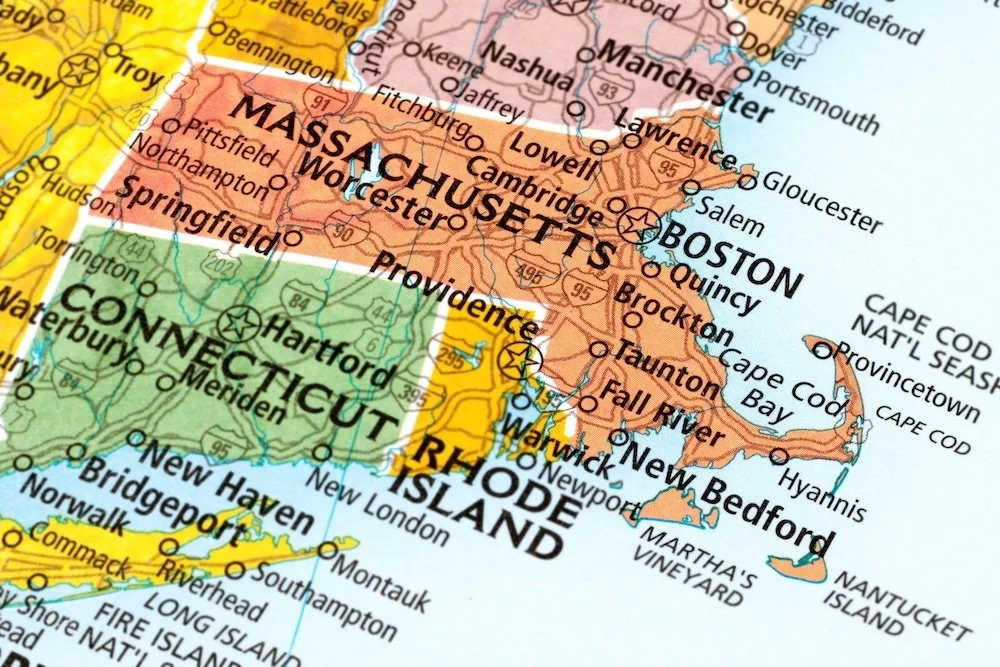

What Is Local SEO (And Why It Matters for Central Mass Businesses)
Local SEO is the practice of optimizing your online presence to attract customers from local searches; the searches that include "near me," a specific city name, or are conducted by someone in your geographic area.
How Local SEO Differs from Regular SEO:
Regular SEO focuses on ranking nationally or globally for broad keywords. A company selling software nationwide uses regular SEO.
Local SEO focuses on ranking in a specific geographic area for location-based searches. Your Worcester plumbing company, Framingham law firm, or Marlborough restaurant needs local SEO.
Why Local SEO Matters More Than Ever:
Mobile searches drive local business:
76% of people who search for something nearby visit a business within 24 hours
28% of those searches result in a purchase
"Near me" searches have grown over 500% in recent years
Voice search is inherently local:
"Hey Siri, find a coffee shop near me"
"Alexa, what's the best Italian restaurant in Framingham?"
Competition is increasing:
Your competitors are investing in local SEO
Every month you wait, they gain more visibility
The businesses ranking in the top 3 get the majority of clicks
Local customers have high intent:
Someone searching "emergency plumber Worcester" is ready to hire NOW
Local searches convert at higher rates than general searches
These are your ideal customers; nearby and ready to buy
The Local SEO Opportunity for Central Mass Businesses:
Central Massachusetts is a competitive but manageable market. Unlike Boston or larger metro areas, Worcester County businesses can achieve strong local rankings with consistent, strategic effort.
Advantages of the Central Mass market:
Lower competition than major metro areas
Strong community loyalty and local preference
Multiple cities to target (Worcester, Framingham, Marlborough, Shrewsbury, etc.)
Mix of urban, suburban, and small-town markets
Active chamber organizations and local business networks
If you're a small business in Central Massachusetts, local SEO is your most cost-effective marketing strategy. Period.
How Google Ranks Local Businesses
Before diving into tactics, you need to understand how Google decides which businesses to show when someone searches locally.
The Three Pillars of Local Rankings:
Google has confirmed that local search rankings are based on three primary factors:
1. Relevance How well your business matches what the searcher is looking for. If someone searches "estate planning lawyer Worcester," Google checks:
Is your primary category "Estate planning lawyer" or just "Lawyer"?
Does your business description mention estate planning services?
Do your reviews mention estate planing related keywords?
Does your website have content about estate planning law?
How to improve relevance:
Choose the most specific primary category
Write detailed service descriptions
Create dedicated pages for each service you offer
Use clear, descriptive content on your website
2. Distance How close your business is to the searcher or the search location.
For "near me" searches, Google prioritizes businesses closest to the searcher's current location. For city-specific searches ("restaurant Framingham"), businesses in Framingham rank higher than those in nearby towns.
How to optimize for distance:
Accurately list your business location
Create location-specific pages if you serve multiple cities
Target local keywords in your content
Get reviews from customers in different service areas
3. Prominence How well-known and established your business is, both online and offline.
Google looks at:
Number and quality of Google reviews
Citations and directory listings
Backlinks from other websites
Your website's overall authority
User engagement (clicks, calls, direction requests)
Online mentions and brand searches
How to build prominence:
Generate consistent
Google reviews
Build local citations (directory listings)
Earn backlinks from local websites
Stay active on your Google Business Profile
Create quality content that gets shared
Understanding the Map Pack:
The "Map Pack" (also called "Local Pack") is the three businesses that appear at the top of local search results with a map. This is prime real estate.
Why the Map Pack matters:
Appears above organic search results
Gets the majority of clicks
Displays key business info (reviews, hours, photos)
Allows one-click calling and directions
Your goal: Rank in the top 3 for your primary service keywords in your target cities.
For a detailed breakdown of how Google's local algorithm works, including what changed in 2026, read our comprehensive guide:How Google Ranks Local Businesses in 2026
Google Business Profile Optimization
Your Google Business Profile (formerly Google My Business) is the single most important element of local SEO. It's free, it's powerful, and most businesses aren't using it to its full potential.
Why Your Google Business Profile Is Critical:
Appears in Google Search and Google Maps
Shows up in the Map Pack
Displays reviews, photos, hours, and business info
Allows customers to call, get directions, or visit your website with one click
Directly impacts local rankings
A fully optimized Google Business Profile can take you from invisible to top 3 in weeks.
The Essential Elements:
1. Claim and verify your profile
If you haven't claimed your Google Business Profile, do it today. Go to business.google.com and follow the verification process.
2. Choose the right categories
Your primary category is one of the most important ranking factors.
Good: "Family law attorney" (specific) Bad: "Lawyer" (too broad)
Add up to 9 secondary categories for additional services.
3. Complete every single field
Google rewards complete profiles. Fill out:
Business name (exact match to your real name)
Address (if you have a physical location customers visit)
Service area (cities you serve)
Phone number (local Massachusetts number)
Website URL
Hours of operation (keep updated)
Business description (750 characters—use them all)
Services you offer
Products (if applicable)
Attributes (wheelchair accessible, women-led, etc.)
4. Add high-quality photos
Businesses with photos get 42% more direction requests and 35% more website clicks.
Upload:
Logo (square format)
Cover photo (landscape)
Exterior photos (your storefront or building)
Interior photos (office, shop, workspace)
Team photos
Product/service photos
Action shots (you or your team working)
Aim for 10-15 photos minimum, and add new ones monthly.
5. Post regular updates
Google Posts expire after 7 days, so post weekly:
What's new at your business
Special offers or promotions
Events you're hosting or attending
Blog post highlights
Community involvement
6. Enable messaging and booking (if applicable)
Make it easy for customers to contact you directly through your profile.
7. Use the Q&A section strategically
Monitor questions and answer promptly. Seed your own Q&A with common questions:
"Do you serve [city name]?"
"What are your payment options?"
"Do you offer free consultations?"
Common Google Business Profile Mistakes:
❌ Keyword stuffing your business name
❌ Using a P.O. Box or fake address
❌ Inconsistent NAP (Name, Address, Phone) across platforms
❌ Choosing broad categories instead of specific ones
❌ Letting your profile sit stale with no updates
❌ Ignoring the Q&A section
❌ Not responding to reviews
For step-by-step instructions on optimizing every element of your Google Business Profile, read our complete guide:How to Optimize Your Google Business Profile for Central Mass Businesses
On-Page SEO for Local Businesses
On-page SEO refers to everything you do directly on your website to improve search rankings. This is completely within your control and makes a significant difference for local businesses.
The Core On-Page Elements:
1. Title Tags
Your title tag is the clickable headline in search results. It's one of the top ranking factors.
Format for homepage: [Business Name] | [Primary Service] in [City], MA
Example: "Smith & Associates | Family Law Attorney in Worcester, MA"
Format for service pages: [Service] in [City], MA | [Business Name]
Example: "Family Law Attorney in Worcester, MA | Smith & Associates"
Rules:
Keep under 60 characters
Include primary keyword and location
Make it compelling (people need to want to click)
Every page should have a unique title
2. Meta Descriptions
The snippet of text below your title in search results. Doesn't directly impact rankings but heavily influences click-through rate.
Format: [What you do] in [location]. [Unique value]. [Call-to-action]. [Service area].
Example: "Experienced family law attorney in Worcester, MA. Compassionate representation for divorce, custody, and estate planning. Serving Central Massachusetts for over 20 years. Free consultation."
Rules:
Keep it 150-160 characters
Include location and service
Add a call-to-action
Make it compelling and specific
3. Header Tags (H1, H2, H3)
Headers structure your content and help Google understand what's important.
Best practices:
One H1 per page (your main page title)
Include location keywords in some (not all) headers
Use H2s for main sections
Use H3s for subsections
Make them descriptive and clear
Example structure for a service page:
H1: "HVAC Repair & Installation in Marlborough, MA"
H2: "Emergency AC Repair for MetroWest Homes"
H2: "Furnace Installation & Replacement"
H2: "Why Choose Our Marlborough HVAC Company"
4. Content with Location Keywords
Naturally incorporate location keywords throughout your content.
Location keyword variations:
Worcester, MA
Worcester, Massachusetts
Worcester County
Central Massachusetts
Central Mass
Greater Worcester area
Specific neighborhoods
Nearby towns
How much is enough?
Homepage: 3-5 location mentions in 500-800 words
Service pages: 2-4 mentions in 400-600 words
Blog posts: 1-3 mentions naturally woven in
The test: Read it aloud. If it sounds forced or repetitive, dial it back.
5. NAP Consistency
Your Name, Address, and Phone number must be EXACTLY the same everywhere online.
Where your NAP must match:
Your website (footer, contact page)
Google Business Profile
Facebook
Yelp
All directory listings
Citations
Example: ✓ Good: "123 Main Street, Worcester, MA 01608" everywhere ✗ Bad: Sometimes "Main St." sometimes "Main Street"
Even small inconsistencies confuse Google and hurt rankings.
6. Internal Linking
Link related pages on your website together.
Why it matters:
Helps Google discover and understand your content
Keeps visitors on your site longer
Passes authority from strong pages to weaker ones
Improves user experience
Best practices:
Link from homepage to main service pages
Link between related service pages
Link from blog posts to relevant service/location pages
Use descriptive anchor text ("our Worcester divorce services" not "click here")
7. Location Pages
If you serve multiple Central Mass cities, create dedicated pages for each.
Example:
/worcester-web-design
/framingham-web-design
/marlborough-web-design
Each page should have:
Unique content (300-600 words)
Location-specific details
Mentions of local landmarks or context
Links to your service pages
Embedded Google Map
Local testimonials (if available)
8. Image Optimization
Optimize images for both SEO and page speed.
Before uploading:
Rename files descriptively: "worcester-law-office-exterior.jpg" not "IMG1234.jpg"
Resize to appropriate dimensions
Compress for web (under 200KB ideal)
After uploading:
Add descriptive alt text with location keywords when relevant
Example: "Family law attorney office in downtown Worcester, Massachusetts"
9. Schema Markup
Structured data that helps Google understand your business.
Essential schema types:
LocalBusiness schema (your NAP, hours, coordinates)
Service schema (services you offer)
Review schema (star ratings)
How to add:
Manually (JSON-LD code in your site footer)
WordPress plugins (Rank Math, Yoast, Schema Pro)
Squarespace code injection
For detailed step-by-step guidance on optimizing every on-page element for local search, read our comprehensive guide:On-Page SEO for Local Businesses: A Central Massachusetts Guide
Getting Reviews and Managing Your Reputation
Google reviews are one of the top three ranking factors for local SEO. More importantly, they influence whether potential customers choose you or your competitor.
Why Reviews Matter:
For rankings:
Reviews are a major prominence signal
Businesses with 40+ reviews see significant ranking boosts
Recent reviews (last 3 months) matter most
Review velocity (how fast you're getting new reviews) signals active business
For conversions:
88% of consumers trust online reviews as much as personal recommendations
Most people won't call a business with fewer than 10 reviews
A 4.5-4.8 star average is ideal (perfect 5.0 looks suspicious)
The Review Generation System:
Step 1: Get your direct review link
Google provides a short link that takes people straight to the review page. Find it in your Google Business Profile dashboard or from your Google Maps listing.
Example: https://g.page/r/YOUR-CODE/review
Shorten it with Bitly for easy sharing: bit.ly/yourcompany-review
Step 2: Identify who to ask
Start with customers who:
Gave unsolicited positive feedback
Are repeat customers
Referred others to you
Recently completed service (within 30 days)
Step 3: Ask at the right moment
The "perfect moment" is right after:
Completing a successful project
Receiving positive feedback
Solving a customer's problem
A customer thanks you or compliments your service
Timing:
Best: Within 24-48 hours of service
Good: Within one week
Too late: More than two weeks (they've moved on)
Step 4: Make it easy
In-person ask:
"I'm so glad you're happy with the work! If you have a minute, would you mind leaving us a quick Google review? It really helps other Worcester families find us. I can text you the link right now."
Text message:
"Hi [Name], thanks again for choosing [Business]! If you were happy with our work, I'd really appreciate if you could leave us a quick Google review. Here's the link: [link]. It helps other Central Mass families find us. Thanks!"
Email template:
Subject: How did we do?
Hi [Name],
Thank you for trusting [Business] with [service]. We hope you're thrilled with the results!
If you have a moment, would you mind sharing your experience in a Google review? Your feedback helps other Worcester-area [customers] make informed decisions.
[Review Link Button]
Thanks again for your business!
Step 5: Respond to every review
Positive reviews:
"Thank you so much, [Name]! We're thrilled you were happy with [specific thing they mentioned]. It was a pleasure working with you, and we appreciate you taking the time to share your experience!"
Negative reviews:
"[Name], thank you for bringing this to our attention. We're sorry to hear about your experience with [issue]. This isn't the level of service we strive for. We'd like to make this right—please reach out to us directly at [phone] so we can address this. We appreciate your feedback."
Rules for responses:
Respond within 24-48 hours
Keep it genuine and personal
Mention specifics from their review
Never argue or get defensive
For negative reviews, take it offline
Building a Review Generation System:
Goal: 2-5 new reviews per month, every month
Monthly workflow:
Identify 10 customers to ask
Send 5 requests (Week 1)
Send 5 more requests (Week 2)
Follow up with anyone who agreed but hasn't reviewed (Week 3)
Continue asking during normal business operations (Week 4)
Train your team:
When to ask (after positive interaction)
What to say (exact script)
How to send the link (text, email, or card)
Only ask satisfied customers
Track your efforts:
Who you asked and when
Method used (text, email, in-person)
Whether they left a review
Follow-up needed
What You CANNOT Do:
❌ Pay for reviews (cash, discounts, gifts)
❌ Write fake reviews (friends/family who aren't customers)
❌ Tell customers what to write
❌ Only ask happy customers for Google reviews while directing unhappy ones elsewhere (review gating)
❌ Incentivize reviews in any way
Consequences:
Profile suspension
Loss of rankings
FTC fines
Damaged reputation
For detailed scripts, response templates, and a complete 90-day review generation system, read our in-depth guide: How to Get More Google Reviews for Your Massachusetts Business (Without Being Pushy)
Citation Building in Worcester County and Surrounding Areas
Citations are online mentions of your business name, address, and phone number (NAP). They're a key factor in local SEO prominence.
What Are Citations?
A citation is any online mention of your business NAP, even if there's no link to your website.
Examples:
Yelp listing
Yellow Pages listing
Better Business Bureau profile
Chamber of Commerce directory
Industry-specific directories
Local blog mentions
News articles
Why Citations Matter:
For rankings:
Citations are a major prominence signal
More citations = more established and legitimate
Quality citations from authoritative sites carry more weight
For discovery:
Customers find you on directories
Provides multiple touch-points
Increases overall online visibility
For trust:
Consistent information across platforms builds credibility
Google cross-references citations to verify your business
Priority Citations for Central Mass Businesses:
Universal citations (every business needs these):
Google Business Profile ✓ (already covered)
Yelp
Facebook Business Page
Apple Maps
Bing Places
MapQuest
Yellow Pages
Better Business Bureau
Angi (formerly Angie's List)
Local Central Massachusetts citations:
Worcester Regional Chamber of Commerce
MetroWest Chamber of Commerce
Central Mass South Chamber of Commerce
Blackstone Valley Chamber of Commerce
Local newspapers (Worcester Telegram, MetroWest Daily News)
Worcester Business Journal
MassLive business directory
Industry-specific citations:
Different industries have their own important directories:
Home services (contractors, plumbers, HVAC):
Houzz
HomeAdvisor
Porch
Thumbtack
Guild Quality
Legal services:
Avvo
FindLaw
Justia
Medical/healthcare:
Healthgrades
Zocdoc
Vitals
WebMD Physician Directory
Restaurants:
OpenTable
TripAdvisor
Zomato
MenuPages
Retail:
Merchant Circle
Local shopping directories
Google Shopping (if applicable)
How to Build Citations:
Step 1: Audit your current citations
Search for your business name + city on Google. See what already exists.
Step 2: Claim existing listings
Many directories create listings automatically. Claim and complete them.
Step 3: Build new citations systematically
Month 1: Focus on universal citations (Yelp, Facebook, Bing, etc.) Month 2: Add local Central Mass citations Month 3: Add industry-specific citations
Step 4: Ensure NAP consistency
Your Name, Address, and Phone must be EXACTLY the same on every citation.
Decide on one format and stick to it:
"123 Main Street" everywhere (not sometimes "Main St.")
"(508) 555-1234" everywhere (not sometimes "508-555-1234")
"Studio 3 Elm" everywhere (not sometimes "Studio 3 Elm, LLC")
Step 5: Monitor and maintain
Quarterly, check your top 20-30 citations to ensure:
Information is still accurate
Hours are current
No duplicate listings exist
NAP is consistent
Citation Building Tools:
Free methods:
Manual submission to each directory
Spreadsheet to track submissions
Paid tools (if you want to save time):
Moz Local - Distributes to 15+ major directories
BrightLocal - Citation tracking and building
Yext - Premium citation management
Whitespark - Citation building service
For most Central Mass small businesses: Start with manual submission to top 20-30 directories, then maintain them quarterly. It's free and gives you complete control.
Dealing with Duplicate Listings:
Duplicates confuse Google and dilute your SEO efforts.
How to fix:
Claim both listings
Mark one as duplicate
Request removal from the directory
If that fails, make all information identical on both
How Many Citations Do You Need?
Baseline: 20-30 quality citations
Competitive: 40-60 citations
Dominant: 80-100+ citations
Quality > Quantity: 20 citations from authoritative, relevant sites beats 100 from random low-quality directories.
Focus on:
Universal directories everyone uses
Local Central Mass directories
Your industry's top directories
Technical SEO Basics: Speed and Mobile
Technical SEO ensures your website is fast, mobile-friendly, and easy for Google to crawl and index.
Why Technical SEO Matters for Local Businesses:
Page speed:
Slow sites rank lower
Most of mobile users abandon sites that take over 3 seconds to load
Speed is a direct ranking factor
Mobile responsiveness:
The majority of local searches happen on mobile devices
Google uses mobile-first indexing (judges your site based on mobile version)
Mobile-unfriendly sites are penalized
Page Speed Optimization:
Target: Pages should load in under 3 seconds on mobile.
How to improve speed:
1. Optimize images
Resize before uploading (don't upload 5000px images for 1000px display)
Compress files (use TinyPNG, ImageOptim, or Squoosh)
Use correct formats (JPEG for photos, PNG for graphics, WebP when supported)
Lazy load images (load as user scrolls)
2. Minimize code
Remove unused plugins (WordPress)
Clean up CSS and JavaScript
Enable compression (GZIP)
Minify code files
3. Use quality hosting
Shared hosting can be slow
Upgrade if your site is consistently slow
Consider managed WordPress hosting (WP Engine, Kinsta)
4. Enable caching
Browser caching stores files locally
Server caching reduces load times
Use caching plugins (WP Rocket, W3 Total Cache)
5. Use a CDN (Content Delivery Network)
Distributes content geographically
Faster load times for visitors far from your server
Cloudflare offers free CDN
How to test speed:
Google PageSpeed Insights
GTmetrix
Pingdom
For detailed speed optimization strategies specific to Squarespace and WordPress sites, read: How to Make Your Squarespace Site Load Faster
Mobile Optimization:
Essential elements:
1. Responsive design
Site adapts to any screen size
Text is readable without zooming
Buttons are large enough to tap
No horizontal scrolling
2. Mobile-friendly navigation
Hamburger menu or simplified nav
Easy to tap menu items
Search functionality accessible
3. Click-to-call functionality
Phone numbers should be tappable
One-click to dial
Essential for local businesses
4. Forms that work on mobile
Large input fields
Mobile-optimized keyboards (number pad for phone fields)
Minimal required fields
Clear submit buttons
5. Fast mobile load times
Even more critical on mobile than desktop
Test on actual mobile devices, not just desktop browser
How to test mobile-friendliness:
Google's Mobile-Friendly Test
Test on actual phones (iPhone and Android)
Check in Google Search Console (Mobile Usability report)
Common mobile issues:
Text too small to read
Touch elements too close together
Content wider than screen
Slow loading
For complete mobile optimization guidance, read: How to Optimize Your Squarespace Site for Mobile
Core Web Vitals:
Google's specific metrics for user experience:
1. Largest Contentful Paint (LCP)
Measures loading performance
Should occur within 2.5 seconds
2. First Input Delay (FID)
Measures interactivity
Should be less than 100 milliseconds
3. Cumulative Layout Shift (CLS)
Measures visual stability
Should be less than 0.1
How to improve Core Web Vitals:
Optimize images and media
Minimize JavaScript
Use proper sizing for images and embeds
Improve server response time
Check your Core Web Vitals:
Google Search Console
PageSpeed Insights
SSL Certificate (HTTPS):
Essential security feature that's now a ranking factor.
What it does:
Encrypts data between user and server
Shows padlock in browser
Required for trust and security
How to get SSL:
Most hosting providers offer free SSL (Let's Encrypt)
Squarespace includes SSL automatically
WordPress: Enable through hosting control panel
Make sure:
Your entire site uses HTTPS (not just homepage)
No mixed content warnings
Update internal links to use HTTPS
When You Need Google Ads vs. Organic SEO
Both Google Ads (paid search) and organic SEO have their place in local marketing. Understanding when to use each—or both—is important for Central Massachusetts businesses.
Google Ads (Paid Search):
What it is: Pay-per-click advertising that appears at the top of search results, labeled "Sponsored" or "Ad."
When Google Ads makes sense:
✓ You need immediate results
SEO takes 3-6 months to show results
Ads start driving traffic within days
✓ You have budget to spend on advertising
Typically $500-2000+/month for local businesses
Pay for every click, whether they convert or not
✓ You're in a highly competitive market
Ads guarantee visibility even if SEO is difficult
Can target very specific keywords
✓ You want to test keywords before committing to SEO
See which keywords actually convert
Use data to inform SEO strategy
✓ You have seasonal needs
Ramp up during busy seasons
Turn off during slow periods
✓ You're launching a new business
Need visibility while SEO builds
Generate leads immediately
When to skip Google Ads:
✗ You have a very limited budget (under $500/month)
✗ Your margins are too thin to support cost-per-click
✗ You're in a low-competition market where organic is easy
✗ You don't have capacity to handle a sudden influx of leads
Organic SEO:
What it is: Optimizing your website and online presence to rank naturally in search results (no payment per click).
When organic SEO makes sense:
✓ You want long-term, sustainable results
Once you rank, you stay visible without ongoing ad spend
Compounds over time
✓ You have limited advertising budget
Time investment instead of money
No cost per click
✓ You're building brand trust
Organic results are trusted more than ads
Establishes you as an authority
✓ You want consistent lead flow
Ads stop when budget runs out
Organic keeps working 24/7
✓ You're in a moderate competition market
Central Mass markets are often achievable with good SEO
Don't need to outspend competitors
When organic SEO isn't enough:
✗ Extremely competitive keywords (may need ads too)
✗ Brand new business with zero online presence (start with ads)
✗ Time-sensitive campaigns or promotions
The Ideal Strategy for Most Central Mass Businesses:
Start with organic SEO as your foundation:
Optimize Google Business Profile
Build on-page SEO
Generate reviews
Build citations
Create local content
Add Google Ads if:
You have budget ($500+/month)
You need immediate results while SEO builds
You want to dominate competitive keywords
You have seasonal peaks
The compound effect: Businesses using both SEO and ads together often see better results than using either alone. SEO provides sustainable baseline traffic, while ads give you control and immediate visibility.
For a detailed breakdown of when to invest in Google Ads for your Central Massachusetts business, read: Do I Need Google Ads?
Creating Your Local SEO Action Plan
You now understand all the pieces of local SEO. Here's how to put it all together with a realistic, prioritized action plan.
Month 1: Foundation (High Priority)
Week 1: Google Business Profile
✓ Claim and verify your profile (if not done)
✓ Choose specific primary and secondary categories
✓ Complete every field 100%
✓ Write comprehensive business description
✓ Ensure NAP is accurate
Week 2: Photos and First Content
✓ Upload 10-15 high-quality photos (logo, cover, location, team, work)
✓ Create your first Google Post
✓ Set up Q&A with 3-5 common questions
✓ Enable messaging/booking if applicable
Week 3: Website Basics
✓ Optimize homepage title tag and meta description
✓ Add NAP to website footer (exact match to Google)
✓ Create or improve contact page
✓ Test mobile responsiveness
✓ Run speed test and fix obvious issues
Week 4: Review Generation Starts
✓ Get your direct review link
✓ Identify 10 best customers to ask
✓ Ask 5 people for reviews
✓ Respond to any existing reviews
Month 1 Goals:
Google Business Profile 100% complete
5-7 new Google reviews
Homepage optimized for local search
Mobile-friendly website
Month 2: Content and Prominence
Week 1: Service Pages
✓ Optimize title tags and meta descriptions for all service pages
✓ Add location keywords naturally to service page content
✓ Expand thin content pages to 400-600 words
✓ Add internal links between related pages
Week 2: Citations Begin
✓ Audit current citations (Google your business)
✓ Claim existing unclaimed listings
✓ Submit to 5 universal directories (Yelp, Facebook, Bing, Yellow Pages, BBB)
✓ Ensure NAP is consistent
Week 3: Continue Reviews
✓ Ask 5 more customers for reviews
✓ Follow up with anyone who agreed but hasn't reviewed
✓ Continue weekly Google Posts
✓ Add new photos to Google Business Profile
Week 4: Technical Optimization
✓ Optimize all images (rename, compress, alt text)
✓ Fix any mobile usability issues
✓ Improve page speed (low-hanging fruit)
✓ Ensure SSL is working site-wide
Month 2 Goals:
All service pages optimized
10-15 total citations built
10-15 total Google reviews
Faster, mobile-optimized site
Month 3: Expansion and Content
Week 1: Location Pages (if applicable)
✓ Create dedicated pages for top 2-3 cities you serve
✓ Write unique content for each (400+ words)
✓ Include local context and landmarks
✓ Embed Google Maps
Week 2: More Citations
✓ Add 5-10 more citations (local and industry-specific)
✓ Audit NAP consistency across all listings
✓ Fix any inconsistencies found
Week 3: Content Creation Begins
✓ Publish first local SEO-focused blog post
✓ Internal link from blog post to relevant service pages
✓ Share blog post on social media and Google Post
Week 4: Schema and Advanced
✓ Add LocalBusiness schema markup to website
✓ Add FAQ schema if you have FAQs
✓ Continue review generation (2-5 new reviews this month)
Month 3 Goals:
20-30 total citations
15-25 total Google reviews
First blog post published
Schema markup implemented
Months 4-6: Consistency and Growth
Ongoing monthly tasks:
Google Business Profile:
✓ Post 4-8 Google Posts per month
✓ Add 2-4 new photos monthly
✓ Respond to all reviews within 24-48 hours
✓ Answer new Q&A questions
✓ Keep hours and info updated
Review Generation:
✓ Request 5-10 reviews per month
✓ Follow up with agreed customers
✓ Maintain 2-5 new reviews per month pace
Content:
✓ Publish 2-4 blog posts per month
✓ Focus on local topics and keywords
✓ Internal link to service/location pages
Citations:
✓ Add 5-10 new citations per month
✓ Monthly NAP consistency check
✓ Fix any issues found
Technical:
✓ Monthly speed checks
✓ Fix any new mobile issues
✓ Monitor Google Search Console for errors
By Month 6, you should have:
30-40 Google reviews
40-60 quality citations
10-15 local blog posts
Strong Map Pack rankings for primary keywords
Measurable increase in organic local traffic
Months 7-12: Dominance
Continue all monthly tasks plus:
Advanced content:
✓ Create pillar content pieces
✓ Build topic clusters
✓ Target more competitive keywords
Link building:
✓ Reach out for local backlinks
✓ Get featured in local news/blogs
✓ Sponsor local events (for links and mentions)
✓ Join local business associations
Expansion:
✓ Create more location pages
✓ Target neighboring cities
✓ Build service-specific landing pages
Video content:
✓ Add videos to Google Business Profile
✓ Create YouTube channel with local content
✓ Embed videos on website
By Month 12, you should have:
50-100+ Google reviews
60-80+ quality citations
20-30+ blog posts
Top 3 Map Pack for most primary keywords
Dominant organic visibility in your market
Significant, measurable ROI from local SEO
Measuring Success and Ongoing Optimization
You need to track your progress to know what's working and what needs adjustment.
Key Metrics to Track:
1. Local Rankings
What to track:
Map Pack position for primary keywords
Organic position for "service + city" keywords
Tools:
BrightLocal (best for local)
Local Falcon (visual heat maps)
Manual searches (incognito mode from different locations)
Check:
Weekly for primary keywords
Monthly for secondary keywords
2. Google Business Profile Insights
What to track:
Profile views
Search queries (how people found you)
Customer actions (calls, direction requests, website clicks)
Photo views
Where to find:
Google Business Profile dashboard → Insights
Check: Weekly
3. Organic Traffic
What to track:
Total organic sessions
Organic sessions from local searches
Top landing pages
Geographic location of visitors
Tools:
Google Analytics (free)
Look at Acquisition → Organic Search
Check: Weekly for overview, monthly for deep analysis
4. Review Metrics
What to track:
Total number of reviews
Average star rating
Review velocity (new reviews per month)
Response rate and time
Where to find:
Google Business Profile
Spreadsheet tracking
Check: Weekly
5. Citation Consistency
What to track:
Total number of citations
NAP consistency across citations
New citations built
Tools:
Moz Local Check (free)
BrightLocal Citation Tracker
Manual audits
Check: Monthly
6. Website Performance
What to track:
Page load speed
Mobile usability
Core Web Vitals
Bounce rate from local searches
Tools:
Google PageSpeed Insights
Google Search Console
Google Analytics
Check: Monthly
7. Conversions
What to track:
Phone calls (from website and Google)
Form submissions
Direction requests
Booking/appointments made
Tools:
Call tracking software (CallRail, CallTrackingMetrics)
Google Analytics goals
Google Business Profile insights
Your CRM or booking system
Check: Weekly
8. ROI Metrics
What to track:
Cost of SEO efforts (time + tools/services)
Revenue from SEO-generated leads
Customer lifetime value from SEO leads
Cost per lead vs. other channels
How to calculate: Track where leads come from (ask new customers how they found you) and attribute revenue accordingly.
Check: Monthly overview, quarterly deep analysis
Setting Realistic Goals:
Month 1-3:
✓ 15-25 Google reviews
✓ 20-30 citations built
✓ Ranking in top 10 for primary keywords
✓ 20-30% increase in organic traffic
Month 4-6:
✓ 30-50 Google reviews
✓ 40-60 citations
✓ Ranking in top 5 (ideally top 3) for primary keywords
✓ 50-100% increase in organic traffic
✓ Measurable increase in leads
Month 7-12:
✓ 50-100+ Google reviews
✓ 60-80+ citations
✓ Consistent top 3 Map Pack rankings
✓ 100-200% increase in organic traffic
✓ Local SEO is a primary lead source
Year 2+:
✓ Maintain and expand rankings
✓ Dominate Map Pack for most keywords
✓ Target more competitive terms
✓ Expand to neighboring markets
Monthly SEO Review Checklist:
Last month's performance:
✓ Ranking changes (up or down)
✓ New reviews received
✓ Traffic increase/decrease
✓ Leads generated
✓ Citations built
This month's priorities:
✓ Keywords to target
✓ Content to create
✓ Technical issues to fix
✓ Opportunities identified
Adjustments needed:
✓ What's working (do more)
✓ What's not working (change approach)
✓ New competitors to watch
✓ Algorithm updates to adapt to
When to Adjust Your Strategy:
Signs you need to change something:
❌ Rankings dropping consistently
❌ Review generation has stopped
❌ Traffic flat or declining
❌ Competitors outranking you
❌ High bounce rate from local searches
Common fixes:
If rankings drop:
Check for technical issues (broken site, slow speed)
Audit competitors (what are they doing differently?)
Increase review generation
Build more quality citations
Create more local content
If traffic is flat:
Target different keywords
Create more content
Improve title tags and meta descriptions (increase CTR)
Build more backlinks
If conversions are low:
Check website usability (especially mobile)
Improve calls-to-action
Make phone number more prominent
Simplify contact forms
Add more trust signals (reviews, testimonials)
The Bottom Line: Local SEO Success for Central Massachusetts Businesses
Local SEO isn't a one-time project—it's an ongoing process. But the investment of time and effort pays off exponentially.
The businesses that dominate local search in Worcester, Framingham, and throughout Central Massachusetts aren't the biggest or the oldest. They're the ones that:
✓ Fully optimize their Google Business Profile
✓ Consistently generate Google reviews
✓ Create quality, location-specific content
✓ Build and maintain citations
✓ Keep their website fast and mobile-friendly
✓ Stay active and engaged online
You don't need to do everything at once. Start with the foundation (Google Business Profile, on-page SEO, reviews), then layer in the advanced tactics (citations, content, link building).
You don't need a massive budget. Most of local SEO can be done yourself with time and consistency. Even hiring help is affordable compared to ongoing ad spend.
You don't need to be perfect. You just need to be better than your local competitors—and most of them aren't doing the basics well.
Need Help With Your Local SEO?
Understanding local SEO is one thing. Actually implementing everything while running your Central Massachusetts business is another. If you have questions or need help with SEO for your business, reach out!